Create a workspace
How do I sign up, and what does the 14-day trial include?
Elly wants to try Vantage on Westlands Trading's sales before she commits to a plan. She signs up herself; no card is needed.
This page covers the Vantage edition. In Norims Vantage your workspace comes with your Norims organisation, so there is nothing to sign up for (see What Vantage does).
Sign up
- On the Vantage home page, select Start your trial. From Pricing you can instead pick a plan and billing period first; Vantage remembers it for when you choose a plan.
- Enter the Organization name, here Westlands Trading. It must be 2 to 80 characters.
- Enter your First name, and your Last name if you want it shown.
- Enter your Work email.
- Select Create workspace.
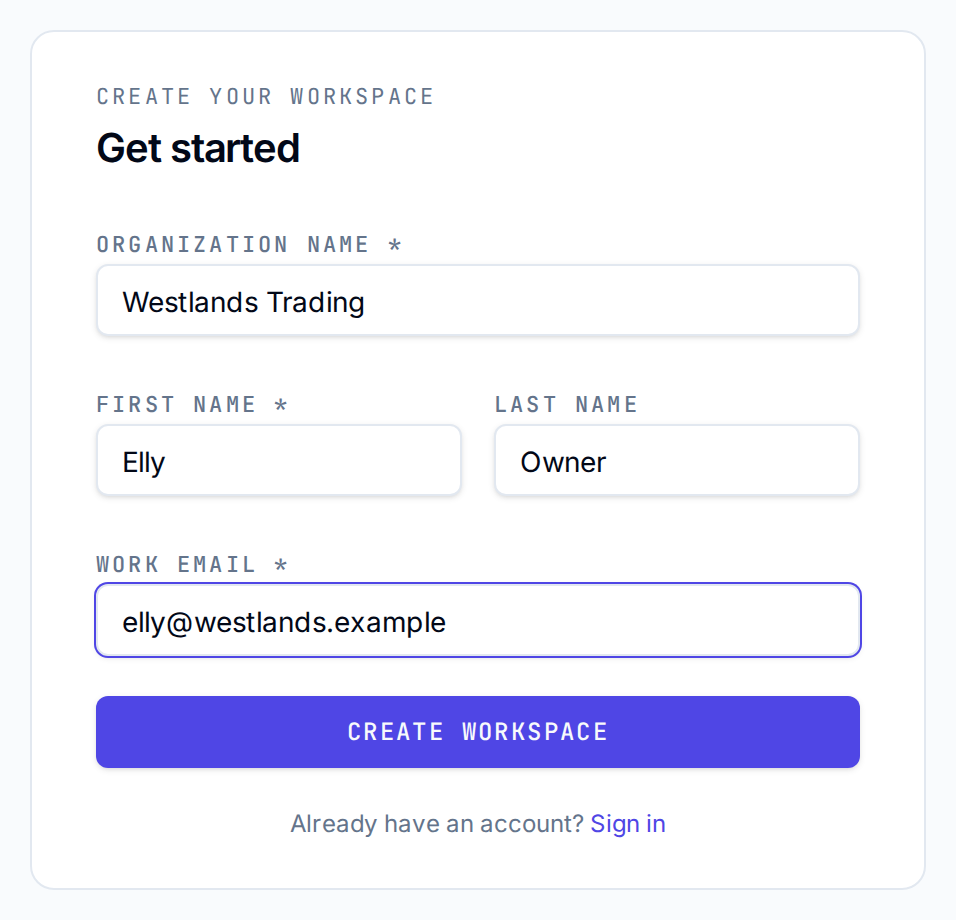
Vantage creates the workspace and shows Check your email. Open the email, set your password from the link, then select Go to sign in.
If something is wrong, the form says so above the fields:
| Message | What to do |
|---|---|
| Check the details you entered and try again | A field is empty or too long, or the email is not valid |
| That email address already has an account | Sign in instead, or use another address |
| Too many workspaces from this address. Try again later. | At most five workspaces can be created from one address in an hour |
What you get
You are the workspace owner. Vantage creates a first project named after the organisation, here Westlands Trading Project, with you as its admin. Projects are explained in Projects.
The trial lasts 14 days. While it runs, a banner at the top of every page counts the days left, with Choose a plan.
| Trial | |
|---|---|
| Members | 5 |
| Data sources | 3 |
| Rows stored | 1M |
| Fastest scheduled refresh | Daily |
| SQL Editor | Not included |
| AI actions a month | 50 |
| Draft dashboards with AI, SQL copilot, weekly digest | Not included |
When you reach a limit, what you have built keeps working; the action that would pass the limit is refused with a message naming the plan that lifts it, for example "Your Trial plan allows 3 data sources. Growth lifts it."
When the trial ends
The workspace becomes read-only until a plan is chosen. Everyone can still open dashboards, run queries and export, but nothing can be created, edited or loaded, and scheduled syncs pause. Nothing is deleted. The banner then reads This workspace is read-only. with Choose a plan to keep working.
Plans and payment are on the Billing page, under More; see Plans.
Next
- Find your way around the app
- Your first dashboard to load a file and publish a dashboard
- Plans to compare what each plan includes