Query limits
What row, time and query limits apply in the SQL Editor?
Elly wants every sale for the year in one result so she can export it to her accountant. Before she writes the query, she checks how much the SQL Editor will give back.
The SQL Editor is part of the Growth plan and above. Anyone in the project can run queries (see Write and save queries).
The limits
| Limit | Value | What happens |
|---|---|---|
| Rows | 5,000 per run | Rows past 5,000 are left out, without a warning |
| Time | 30 seconds per run | The run stops and the warehouse's message shows under Query Error |
| Runs | 200 an hour for the whole workspace | "Query budget exceeded. Try again later." until the hour is up |
| Statements | One SELECT or WITH per run | "Only a single statement is allowed" or "Only SELECT or WITH queries are permitted" |
| Tables | The project's tables and the workspace's shared ones | "This query uses a table outside this project" and the table's name |
These are the values on Vantage as Bytefount runs it; a self-hosted Vantage can set its own row budget and time limit.
Rows
A result never has more than 5,000 rows. The count above the results shows 5,000 rows when a query was cut off, so treat that number as a sign that there was more.
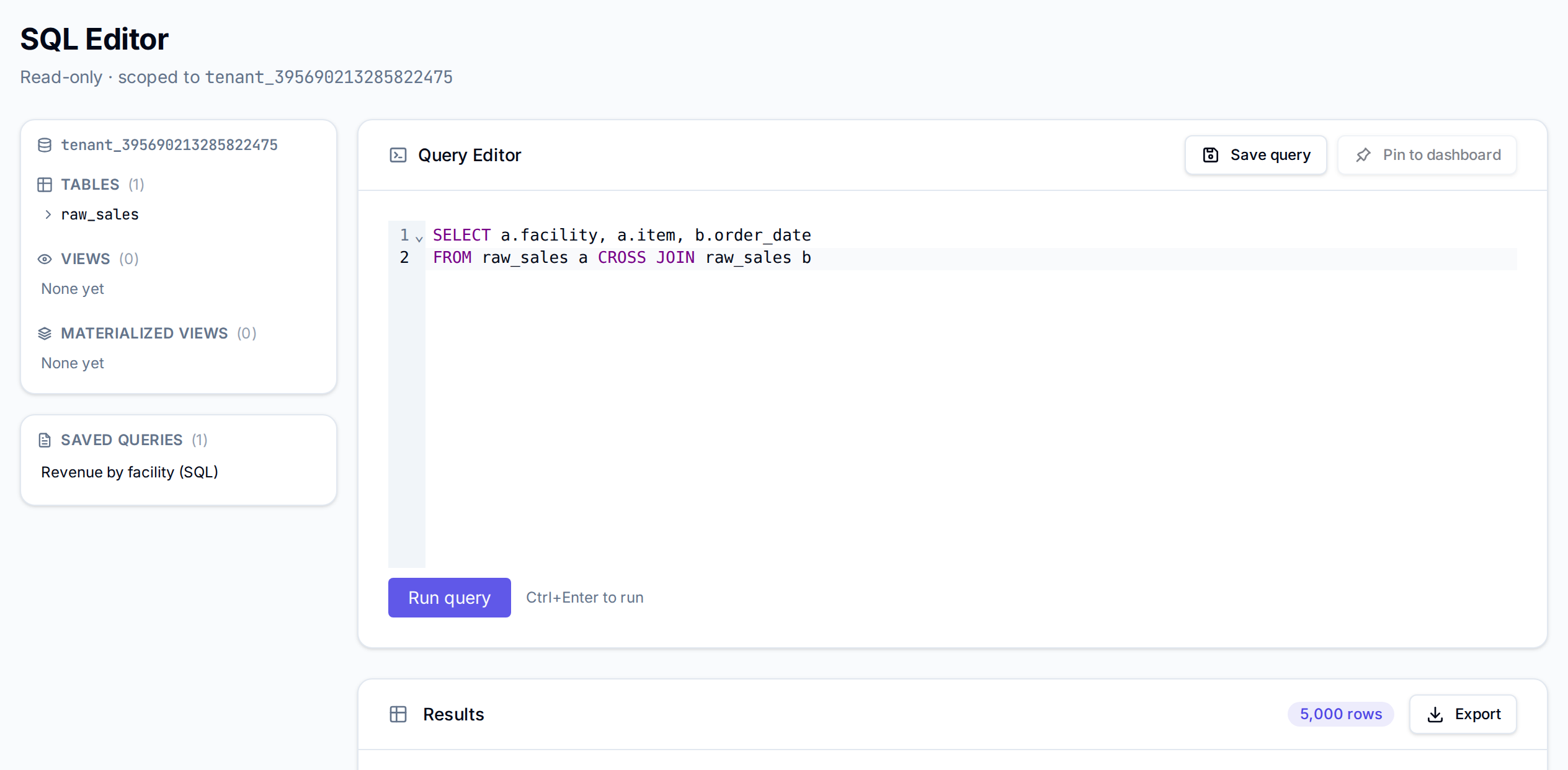
Export downloads the rows in the result, so a CSV or Excel file has at most 5,000 rows too.
To get what you need inside the limit, add up in SQL rather than listing every row: GROUP BY
the facility, item or month, or filter with WHERE. For the full table, ask whoever loaded it,
or upload and keep the file itself.
Charts built From SQL on a saved query run it with the same 5,000-row limit.
Time
A query that runs longer than 30 seconds is stopped. Large joins and sorts over every row are the usual cause; filter first, and group before you join where you can.
Runs
The 200 runs an hour are shared by everyone in the workspace, and count runs that return a result; a query that fails is not counted. Dashboards showing saved queries do not count.
Next
- Write and save queries to write the grouped query
- Exports for exporting from a dashboard instead
- Datasets and refresh for what each table holds