Exports
How do I export a chart or a dashboard?
Elly's accountant wants the revenue by item as a spreadsheet, and the board wants the whole dashboard as a PDF for the monthly pack. Both come straight out of Vantage.
Exports are made in your browser from what is on screen, and work on every plan, including a workspace that is read-only while it waits for a plan.
Export one chart
- Open the dashboard.
- On the chart, select ⋯ at the top right.
- Choose Export CSV, Export Excel or Export PNG.
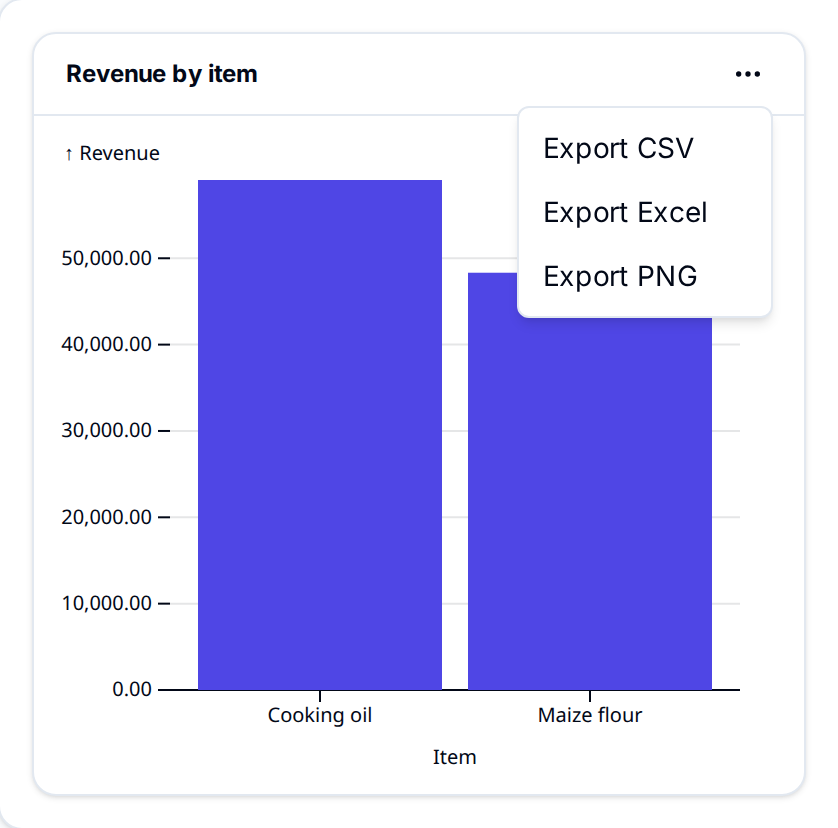
| Export | You get |
|---|---|
| Export CSV | The rows behind the chart, in a file named after the chart's title, such as revenue-by-item.csv |
| Export Excel | The same rows as an .xlsx workbook with one sheet |
| Export PNG | A picture of the chart on a white background |
The CSV and Excel columns carry the metric model's names, such as sales.item and
sales.revenue, and the values unformatted. The menu appears once the chart has data, and works
in the builder too. With AI on, it also has Explain this (see What the AI can
see).
Export the whole dashboard
On a published dashboard, select Export next to Edit, then Export PNG or Export PDF.
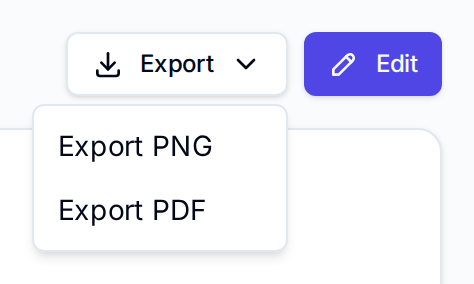
Both capture every widget as it is shown, including the filters and time period you have chosen, in a file named after the dashboard. The PDF is a single page sized to the dashboard. Export is greyed out until the dashboard is published and has at least one widget.
Export query results
In the SQL Editor, after a query runs, select Export above the results and choose
Export CSV or Export Excel. The file holds every row the query returned (up to 5,000) and
is named query-result. See Write and save queries.
Export a dashboard's design
Export in the dashboard builder is different: it saves the draft and downloads its design,
not its data, as a JSON file named dashboards- followed by the dashboard's short name. Use it to
move a dashboard into a pack (see Import a pack). Export on a
metric model's page does the same for the model.
Next
- Publish a dashboard so it can be exported as PNG or PDF
- Write and save queries for exports shaped your own way
- Build a draft to change what a chart shows before exporting