Import a template
How do I import a template from files?
Elly's analyst built a Depot sales template in another workspace: a metric model and a dashboard, with a small set of sample sales to show them on. He sends Elly the files, and she imports them into Westlands Trading to try.
Import takes templates: a set of JSON files with sample data, metric models, views and dashboards. It does not install a pack straight into a project; you try the template on its sample data, or, with AI on, map it onto your own data. You see Import if you are a workspace owner or admin, or an editor or admin of the current project.
Add the files
- Pick the project in the project switcher, then open Import.
- Drop the files on Drop JSON files here, or select Browse files and choose them. You can add files in more than one go.
Each file must end in .json, be at most 1 MB and hold valid JSON; a file that does not is listed
in red with the reason, such as "exceeds 1 MB". Pre-flight lists what the files hold, by kind,
each marked in upload. Clear removes them all.
Check the template
Select Check. Vantage checks the files as a whole. If they make a template, it shows the template's name with its numbers of views, metric models and dashboards.
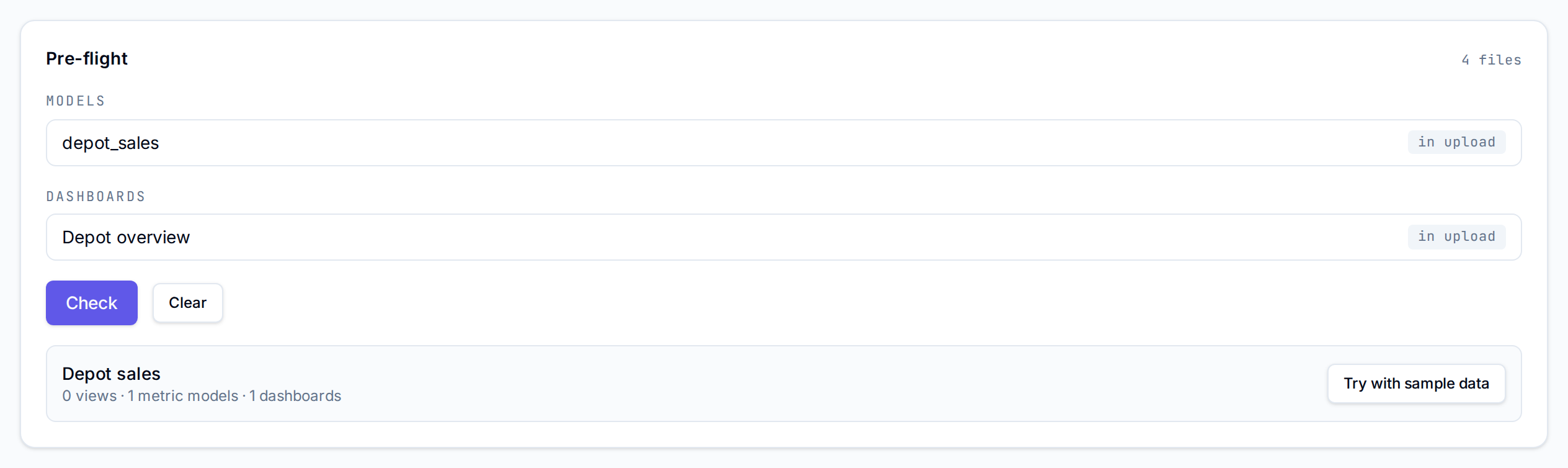
If not, Vantage says Not a template and lists every problem. A template:
| Needs | Message when it does not |
|---|---|
A manifest file with kind manifest and a key, name and description | "manifest requires string key, name, description" |
| Sample data, not sources, seeds or saved queries | "a template carries sample data, not sources" |
An id column in each sample, filled in and different on every row | needs an "id" column; "id" is empty; duplicate id |
| At most 5,000 rows in each sample, and 2 MB in all | more than 5,000; more than 2 MB |
Values that match each column's type: string, integer, decimal, date, datetime or boolean | "is not a" and the type |
No tenant_id column, which Vantage adds itself | "tenant_id" is added by the system, remove the column |
| Sample data or a view behind every model | has no sample data or view |
| Charts over metric models only, using members the models define | a template carries cube widgets only, not SQL; unknown members |
Try it
Select Try with sample data. Vantage loads the sample data into a new project named Sample: and the template's name, installs its dashboards, and opens the project. Delete it with Delete sample at the top of its dashboards when you are done (see Starter packs and templates).
With AI on for the workspace, Use with my data maps the template onto the current project's datasets and opens Your starter pack in Catalog to import, as for a built-in template. Anything it cannot map is listed as "Not built:" with the reason. It costs 3 AI actions.
Next
- Make your own pack to export the files from your own workspace
- Starter packs and templates for the built-in templates
- Registry packs and upgrades for how packs update