Modeled datasets
How do I turn a column of JSON into rows I can chart?
Elly's till exports one row per receipt, with everything that was sold packed into a receipt column as JSON. To chart sales by item she needs one row per line on the receipt, so she builds a modeled dataset that unpacks it.
A modeled dataset is built from another dataset by flattening one of its JSON columns into ordinary columns, and one row per item of a list inside it. It does not join tables: to combine two datasets in a chart, add a join to the metric model (see Metric models).
You need the editor or admin role in the project of the dataset you start from, and in the project the new dataset goes into. A modeled dataset shared with every project needs a workspace owner or admin.
Detect the fields
- Open Data and expand the source's row, here Till receipts.
- On the dataset, select Transform. It is there for a ready dataset with at least one text column.
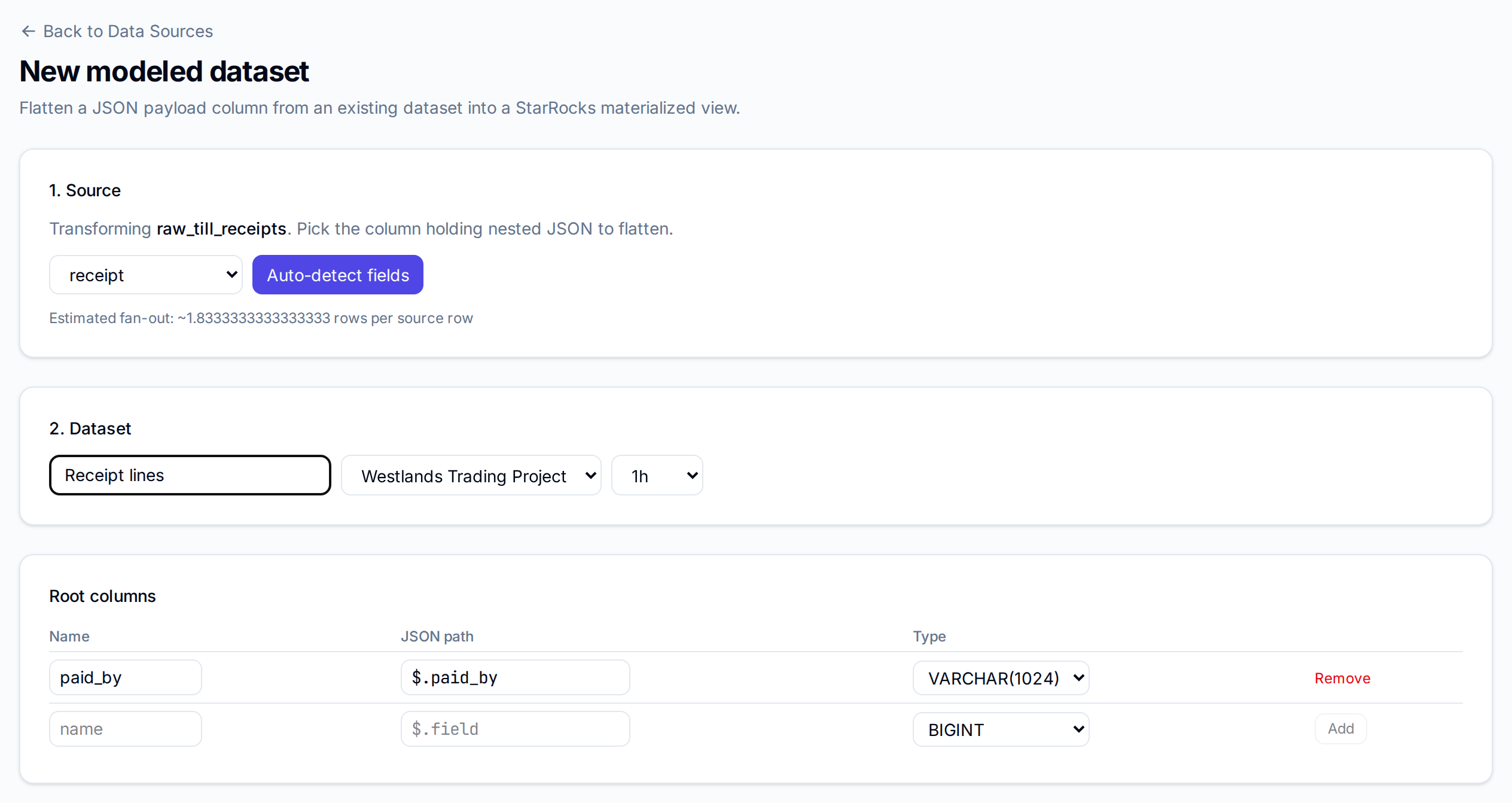
- Choose the column that holds the JSON, here receipt, and select Auto-detect fields.
Vantage reads a sample of the column and fills in the recipe. Under it, Estimated fan-out says how many rows each source row becomes, on average.
- Enter a name, here Receipt lines, choose the project, and choose how often to rebuild it: 15m, 1h, 6h or daily.
Check the recipe
Root columns are the fields found once per row, here paid_by. Each has a Name, the
JSON path it is read from, and a Type. Vantage guesses the type from the sample: whole
numbers become BIGINT, decimals DOUBLE, names ending in _id VARCHAR(128), names
ending in _at, _date, _ts or _time DATETIME, and anything else VARCHAR(1024).
Change a guess in the list, take a field out with Remove, or add one in the empty row at the
bottom with Add.
Repeated fields (forEach) holds each list inside the JSON, here $.lines[*], with the columns read from every item in it.
![Repeated fields (forEach) with the path $.lines[*], mode left, alias lines, and the columns item, qty and price](/vantage/use/metrics/modeled-datasets/for-each.png)
| Setting | What it does |
|---|---|
| left | Keeps a source row whose list is empty, with the item columns left blank |
| inner | Drops a source row whose list is empty |
| Add nested forEach | Unpacks a list inside each item, such as the batches on a line |
| Add forEach | Unpacks another list at the top of the JSON |
Filters (where) keeps only the rows that match: choose a column and an operator such as equals or gt, enter the values separated by commas, and select Add filter. Generated SQL shows the query Vantage will run, and any problem with the recipe.
Save
Select Save. Vantage builds the dataset and opens Data, where it is a source of type Modeled dataset. Each receipt line is now a row: the six receipts became 11.

It gets a metric model like any other dataset, so Metrics opens its measures and you can chart it straight away. It rebuilds on its interval, and Refresh now rebuilds it at once.
Change the recipe
Select Edit recipe on the dataset. The page shows the same settings, with Refresh interval at the top and Validation, which says "The recipe is valid." or what is wrong. Select Save and rebuild.
Saving drops the dataset and builds it again from its source, and dashboards that read it show no data until the rebuild finishes. Vantage confirms with Recipe saved. If the rebuild fails, the page says "The last rebuild failed:" with the reason.
Next
- Metric models to name the new columns and add joins
- Build a draft to chart the modeled dataset
- Datasets and refresh for when each kind of source updates