Connect a source
How do I connect a database or app and schedule syncs?
Elly's till system keeps every order in a database. Rather than export a CSV each week, she wants Vantage to pick up new orders on its own every hour.
Vantage connects to other systems in two ways:
| Way | Where | Runs on |
|---|---|---|
| Database sync | Data → Add source | The n8n that runs alongside Vantage, on a schedule Vantage keeps |
| Your own pipeline tool: BYO n8n, Airbyte, OpenFN | More → Integrations | Your own instance of that tool |
You need the editor or admin role in the project. A source shared with every project needs a workspace owner or admin.
Sync a database
The connection to the database itself (its address and credentials) lives in the workspace's n8n workflow, which whoever runs Vantage sets up. In Vantage you say which table to copy and how often.
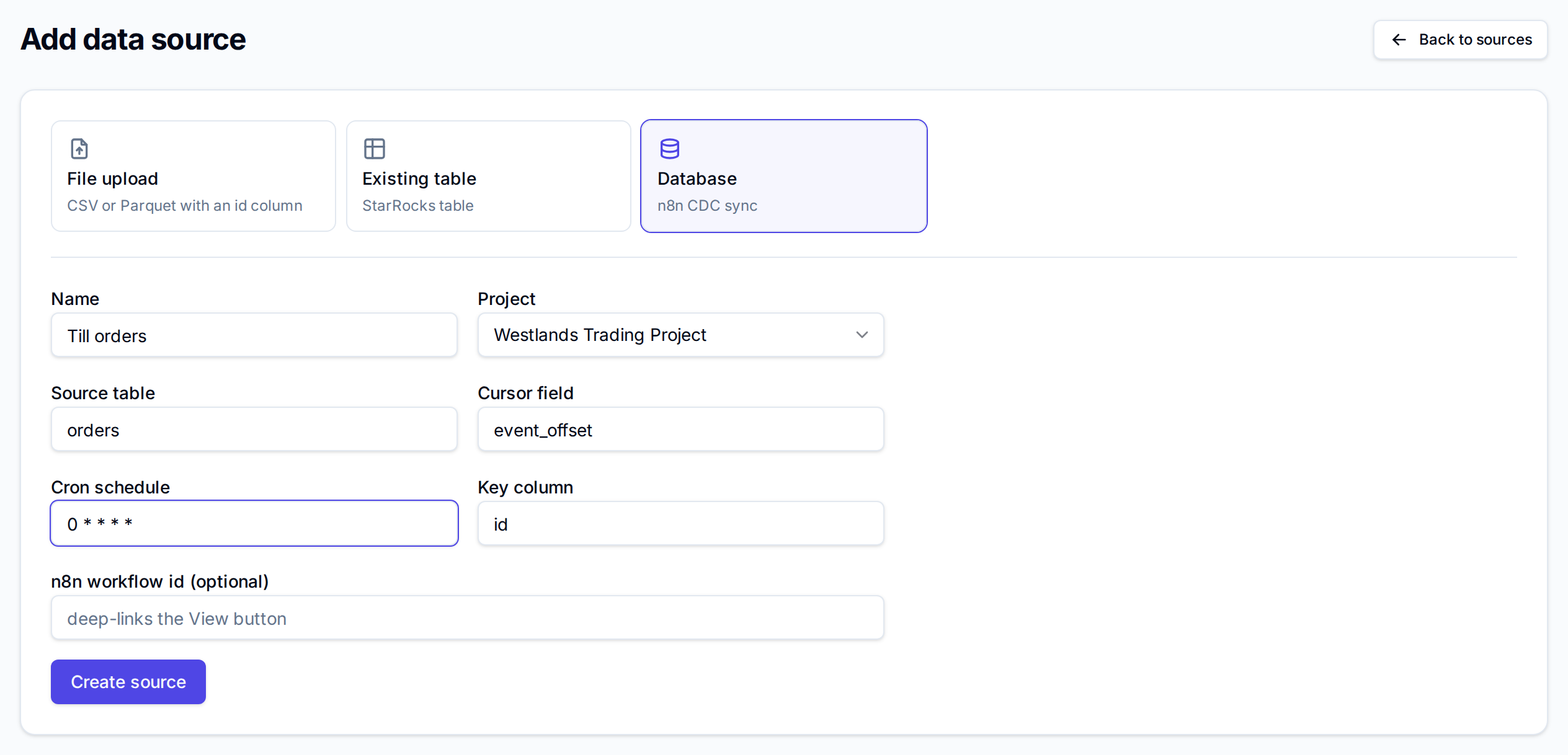
- Open Data, select Add source, and choose Database.
- Enter a Name, here Till orders, and choose the Project.
- Enter the Source table to copy, here orders.
- Check the Cursor field: the column that grows as rows are added or changed, so each sync copies only what is new. It starts as event_offset.
- Enter the Cron schedule, five fields in cron format. 0 * * * * syncs at the top of every hour; the default */15 * * * * syncs every 15 minutes.
- Check the Key column that identifies each row; it starts as id.
- Optionally enter the n8n workflow id, so the row's View in n8n opens that workflow.
- Select Create source.
How often a schedule may run depends on the plan: daily on the trial and Starter, hourly on Growth, every 15 minutes on Business. A faster schedule is refused with, for example, "Your Trial plan refreshes at most daily. Growth lifts it."
Watch and control the sync
The source's row shows the last run under its status: Syncing…, Synced 5 minutes ago · 120 rows, or Failed with the reason. Sync runs it now, and a message reports Loaded 120 rows or the error when it finishes.
The row's ⋯ menu holds the rest:
| Item | What it does |
|---|---|
| Edit schedule | Change the cron schedule in Sync schedule |
| Pause syncs / Resume syncs | Stop the schedule without losing it, and start it again |
| Refresh | Reload every row from the start over the existing table; dashboards keep reading it meanwhile |
| Clear and reload | Drop the table and reload it from the start; for a sync that fails because a column changed type or the key changed |
| Archive, Delete | Hide the source, or remove it for good |
Connect your own pipeline tool
If you already run n8n, Airbyte or OpenFN, connect it under More → Integrations.
- Open More → Integrations and choose the tool.
- Enter a Name and choose the Project.
- Enter the tool's address: Your n8n base URL, Airbyte base URL with the Connection id, or OpenFN base URL. BYO n8n also takes the same table, cursor, cron and key fields as a database sync.
- Select Connect.
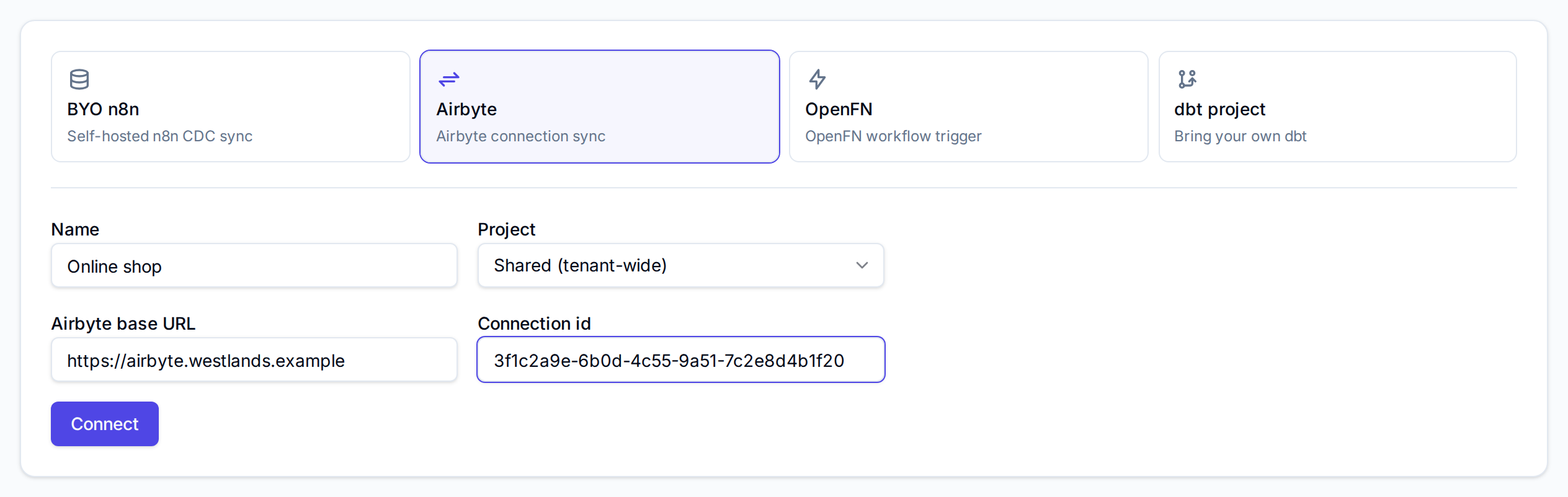
Vantage keeps the schedule only for n8n. An Airbyte connection or OpenFN workflow runs on the schedule you set in that tool; in Vantage, Sync starts a run straight away and View in Airbyte or View in OpenFN opens the tool. The Health column shows whether Vantage can reach it: Reachable, Degraded, Unreachable or Not checked.
dbt project issues a warehouse login for your own dbt models; see Bring your own dbt.
Next
- Datasets and refresh for when each kind of source updates
- Use an existing table if the data is already in the warehouse
- Metric models to define measures over the synced table