Use an existing table
How do I use a table already in the warehouse?
Elly's developer builds cleaned-up tables in Westlands Trading's warehouse with his own dbt models. Elly wants to chart them without copying the data anywhere, so she adds each table to Vantage as a source. To show the steps, this page adds raw_sales, the table behind her Sales upload, under the name Sales table.
An existing table is a table already in your workspace's warehouse that no Vantage source loads. Vantage reads it where it is; nothing is copied. You need the editor or admin role in the project. A source shared with every project needs a workspace owner or admin.
Add the table
- Open Data, select Add source, and choose Existing table.
- Enter a Name, here Sales table, and choose the Project. Leave Shared (tenant-wide) to make it available to every project.
- Enter the table's name under StarRocks table, here raw_sales.
- Select Create source.
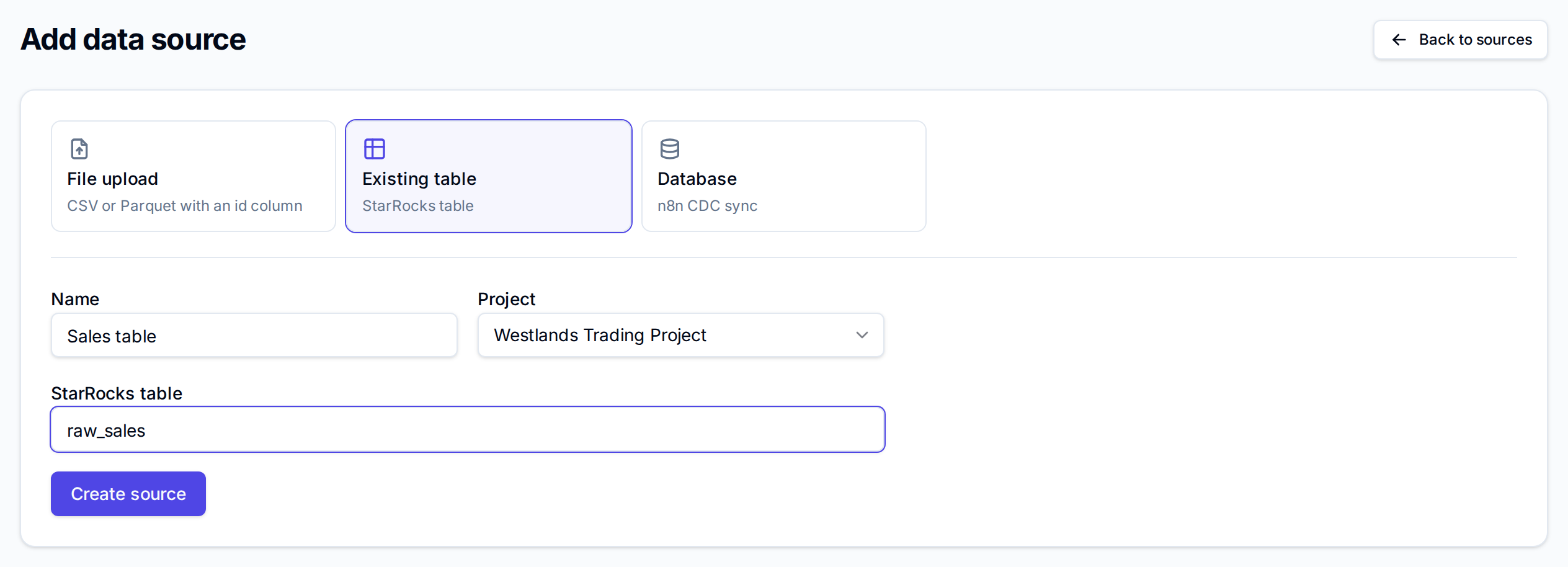
The name is the table's name alone, without a database: letters, digits and underscores, not starting with a digit. Anything else is refused with "Invalid table name".
Vantage reads the table's columns and row count and the source is ready straight away. If the table is not in your workspace's warehouse, Vantage says "Table … not found", and the source stays in the list with status error. Delete it, check the name, and add it again.
Check what Vantage found
Expand the source's row with the arrow to see its dataset: the table name, its rows and its columns. The count includes the columns Vantage adds to every table for itself.

Like any ready dataset, it gets a metric model at once: open Metrics to name and format its measures (see Metric models), and chart it in the dashboard builder. Transform builds a modeled dataset from a column of JSON (see Modeled datasets). Use the table name in the SQL Editor.
Keep it current
Charts and queries read the table as it is when they run, so new rows show up without anything to do in Vantage. If the table's columns change, select Refresh on the source's row: Vantage reads the columns and row count again, so the metric model and the column count catch up.
Deleting the source removes it, its dataset and its metric model from Vantage. The table itself stays in the warehouse.
If your tables come from dbt, More → Integrations → dbt project can also list the tables dbt built that no source uses yet and add the ones you tick; see Bring your own dbt.
Next
- Metric models to define measures over the table
- Datasets and refresh for how each kind of source updates
- Write and save queries to query the table in SQL